Fire TV Stick 4K Max vs Roku Streaming Stick 4K (2026)
Compare Fire TV Stick 4K Max and Roku Streaming Stick 4K for 4K streaming, Wi-Fi 6E vs long-range Wi-Fi, and Alexa vs Roku voice search.
#ad · Heads up: this post contains affiliate links. As an Amazon Associate we earn from qualifying purchases — at no extra cost to you. It funds our own questionable purchases. Full disclosure.
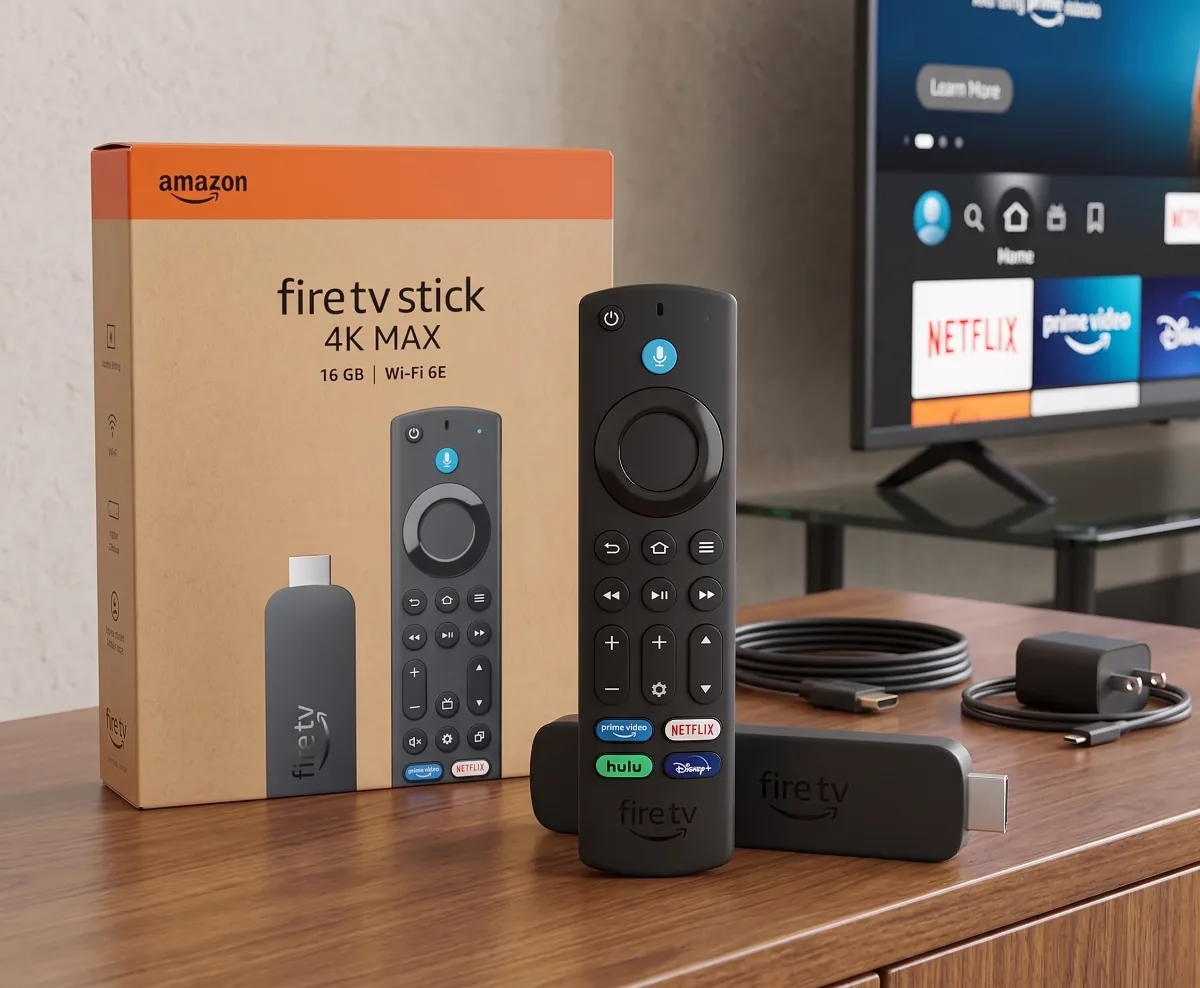
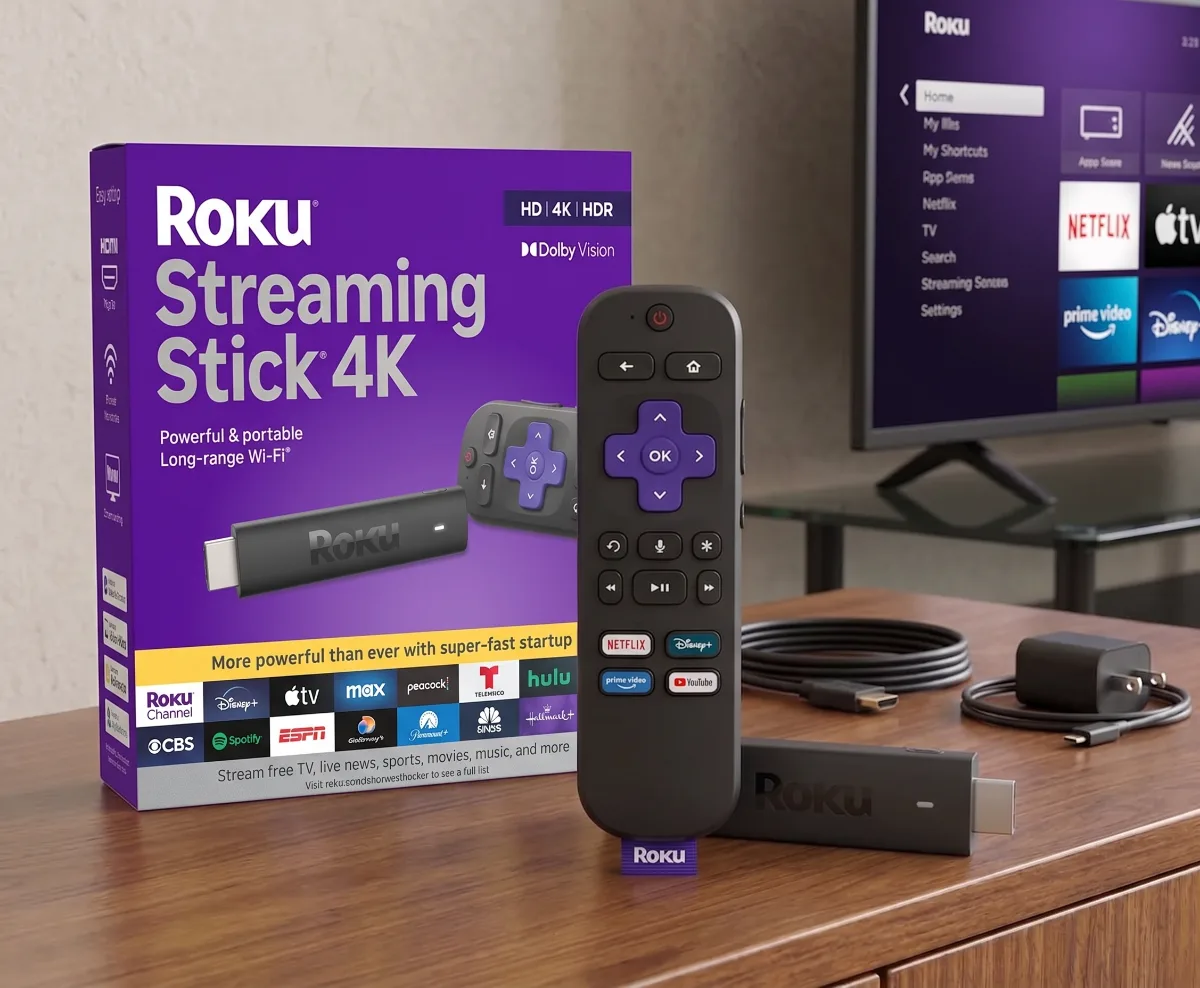
The Amazon Fire TV Stick 4K Max (newest model) wins for power users who want Wi-Fi 6E speed, AI-powered search, and 16 GB of storage, while the Roku Streaming Stick 4K remains the top pick for anyone who just wants a simple, ad-light interface that plays nice with every streaming service.
Quick Specs Comparison: Fire TV Stick 4K Max vs Roku Streaming Stick 4K
Both sticks deliver 4K HDR at 60 fps, support Dolby Vision and HDR10+, and include voice remotes with TV controls. The Fire TV Stick 4K Max adds Wi-Fi 6E (802.11ax) on the 6 GHz band, 16 GB internal storage, 2 GB RAM, and an AI-enhanced Fire TV Search that parses natural-language queries. The Roku Streaming Stick 4K counters with long-range dual-band 802.11ac (Wi-Fi 5), 4 GB storage, 1 GB RAM, and a platform-agnostic home screen that surfaces free live TV from The Roku Channel alongside paid apps.
| Feature | Fire TV Stick 4K Max (Newest) | Roku Streaming Stick 4K |
|---|---|---|
| Wi-Fi | Wi-Fi 6E (2.4/5/6 GHz) | Dual-band 802.11ac (2.4/5 GHz) long-range |
| Storage | 16 GB | 4 GB |
| RAM | 2 GB | 1 GB |
| HDR Formats | Dolby Vision, HDR10+, HDR10, HLG | Dolby Vision, HDR10+, HDR10, HLG |
| Audio Passthrough | Dolby Atmos, Dolby Digital Plus | Dolby Atmos, Dolby Digital Plus |
| Voice Assistant | Alexa+ (generative AI) | Roku Voice (command-based) |
| Search | AI-powered natural language | Keyword-based universal search |
| Free Live TV | Amazon Freevee, integrated guide | The Roku Channel, Live TV Zone |
| Remote | Alexa Voice Remote (2x AAA) | Roku Voice Remote Pro (rechargeable) |
| OS | Fire OS 8 (Android-based) | Roku OS 12+ (Linux-based) |
| Sideloading | Supported via Developer Options | Not supported |
Streaming Performance: Wi-Fi 6E vs Long-Range Wi-Fi
Wi-Fi 6E on the Fire TV Stick 4K Max opens the uncongested 6 GHz spectrum — up to 1.2 Gbps theoretical throughput — which matters when your 4K HDR bitrate spikes above 50 Mbps during action scenes. In a typical US apartment with 20+ neighboring networks, the 6 GHz band stays clean because older devices can’t touch it. Roku’s long-range 802.11ac uses 2x2 MIMO on 5 GHz to punch through drywall and plaster, but it shares spectrum with every other Wi-Fi 5 device. If your router is Wi-Fi 6E or Wi-Fi 7, Fire TV extracts measurably lower latency; if you’re still on Wi-Fi 5, Roku’s optimized antennas often match real-world stability.
Interface & Ads: Amazon’s Ecosystem vs Roku’s Neutrality
Fire OS 8 still dedicates the top two rows to “Sponsored” tiles and Amazon Originals, pushing your installed apps to row three or lower. You can reorder rows, but the ad slots remain. Roku OS 12+ shows a single static banner atop the grid — often a free movie promo — and never prioritizes one paid service over another. For cord-cutters who rotate subscriptions monthly, Roku’s neutrality means the app you want is always where you left it. Fire TV’s AI search partially compensates: ask “show me free sci-fi movies” and it aggregates across Freevee, Tubi, Pluto, and Prime Video without you opening each app.
Voice Control: Alexa+ vs Roku Voice Remote
Alexa+ on the newest Fire TV Stick understands follow-up context: “Play The Bear” → “Skip to episode 3” → “Turn on English subtitles” works as a conversation. Roku Voice handles discrete commands — “Launch Netflix,” “Search for Oppenheimer” — but lacks conversational memory. Both remotes control TV power and volume via HDMI-CEC or IR. Roku’s Voice Remote Pro adds a rechargeable battery (USB-C, ~3 months per charge) and a lost-remote finder that beeps the remote from the Roku app. Fire TV’s remote still takes two AAA batteries; Amazon sells a rechargeable battery pack separately.
Storage & App Support: 16 GB vs 4 GB
Sixteen gigabytes on the Fire TV Stick 4K Max leaves ~11 GB usable after OS — enough for 50+ streaming apps plus sideloaded tools like Kodi, Stremio, or RetroArch. Roku’s 4 GB yields ~2.5 GB free; heavy apps like Disney+ (800 MB), Max (600 MB), and Apple TV+ (500 MB) quickly crowd the partition, forcing automatic offload of rarely used channels. Neither stick supports external storage via USB (no OTG), so internal capacity is a hard ceiling. If you only use mainstream apps, Roku’s limit rarely bites; if you tinker, Fire TV is the only viable option.
Dolby Vision, HDR10+, and Audio Formats
Both sticks decode Dolby Vision profile 5 (10-bit, 60 fps) and HDR10+ dynamic metadata, matching the capabilities of 2026 mid-range TVs. Dolby Atmos passthrough works over HDMI 2.1 eARC to soundbars or AVRs — provided your TV supports eARC. Fire TV also decodes Dolby Digital Plus 7.1 locally for headphone mode on the remote; Roku relies on TV-side decoding. Neither supports DTS:X or IMAX Enhanced, so physical-media rippers should look at Shield TV Pro instead.
Which Streaming Stick Fits Your Setup?
Choose Fire TV Stick 4K Max if: you own a Wi-Fi 6E/7 router, use Alexa smart home routines, sideload Android apps, or want generative-AI search that understands “that Korean thriller with the parasitic family.” The 16 GB buffer future-proofs against app bloat through 2028.
Choose Roku Streaming Stick 4K if: you want zero learning curve, hate sponsored rows, rotate streaming subscriptions quarterly, or live in a pre-war apartment where 5 GHz struggles to reach the bedroom TV. The rechargeable remote and platform neutrality save daily friction.
Common Mistakes When Buying a 4K Streaming Stick
Shoppers often assume “4K” on the box guarantees 4K on every app — but Netflix 4K requires its Premium plan ($22.99/mo), Disney+ 4K is included in Standard ($15.99/mo), and Prime Video 4K needs no extra tier. Both sticks support the codecs; the paywall is on the service side. Another trap: buying the “Max” or “Pro” model for a 1080p TV — you’ll never use the HDR or Wi-Fi 6E benefits. Finally, check your TV’s HDMI port version: HDMI 2.0 handles 4K60 HDR fine, but HDMI 2.1 with eARC is needed for lossless Atmos passthrough to a soundbar.
Final Verdict: Fire TV Stick 4K Max or Roku Streaming Stick 4K?
The Fire TV Stick 4K Max (newest model) earns the overall nod for its Wi-Fi 6E radio, 16 GB storage, and AI search that genuinely reduces hunting time — if you’re comfortable in Amazon’s ecosystem. The Roku Streaming Stick 4K wins on daily usability: a cleaner home screen, rechargeable remote, and zero bias toward any streaming giant. For $5–$10 more during sales, the Fire TV Max’s hardware headroom justifies the upsell; at full MSRP parity, Roku’s simplicity is the smarter spend for most living rooms.
Quick compare
| Pick | Best for | Rank | |
|---|---|---|---|
| Amazon Fire TV Stick 4K Max (newest model), streaming device, with AI-powered Fire TV Search, supports Wi-Fi 6E, free & live TV without cable or satellite, find shows faster with Alexa+ ⭐ Editor's pick | Best for power users | 1 | Check price → |
| Roku Streaming Stick 4K with Voice Remote - HDR10+ & Dolby Vision Compact 4K Streaming Device for TV with Roku Voice Remote & Long-Range Wi-Fi - Free & Live Local News, Sports | Best for simplicity | 2 | Check price → |
The picks
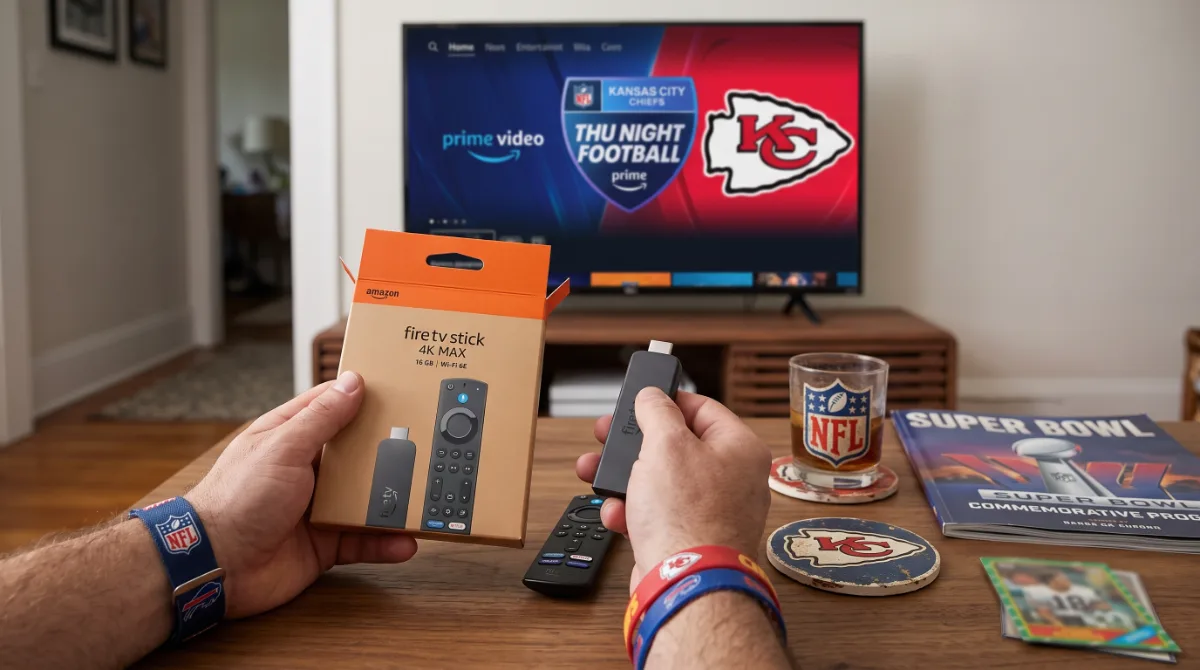
Amazon Fire TV Stick 4K Max (newest model), streaming device, with AI-powered Fire TV Search, supports Wi-Fi 6E, free & live TV without cable or satellite, find shows faster with Alexa+
The newest Fire TV Stick 4K Max flexes Wi-Fi 6E for buffer-free 4K streams even when your roommate hogs bandwidth, while AI-powered Fire TV Search actually understands "that show with the guy from The Office" — and 16 GB storage means you can hoard apps like a digital packrat. Alexa+ lets you bark commands from the kitchen without finding the remote.
- Wi-Fi 6E support for lower latency and higher throughput on 6 GHz band
- 16 GB internal storage — quadruple Roku's capacity
- AI-powered search handles natural-language queries across services
- Home screen still serves sponsored rows and Amazon-centric recommendations
#ad · As an Amazon Associate we earn from qualifying purchases.
Roku Streaming Stick 4K with Voice Remote - HDR10+ & Dolby Vision Compact 4K Streaming Device for TV with Roku Voice Remote & Long-Range Wi-Fi - Free & Live Local News, Sports
Roku's Streaming Stick 4K keeps it stupid-simple: plug in, sign in once, and the neutral home screen treats Netflix, Disney+, and your weird free-channel obsession equally — no ad-cluttered rows pushing Prime Video. Long-range Wi-Fi 5 punches through plaster walls, and the voice remote finds local news faster than your parents' cable box.
- Platform-agnostic interface with minimal ads and no content bias
- Long-range dual-band Wi-Fi maintains signal through thick walls
- Roku Voice Remote Pro includes rechargeable battery and lost-remote finder
- Only 4 GB storage limits sideloading and large app libraries
#ad · As an Amazon Associate we earn from qualifying purchases.
Explore more Aesthetic Tech finds →
Questions you were too broke to ask
Does the Fire TV Stick 4K Max support Dolby Vision and HDR10+? +
Yes, the newest Fire TV Stick 4K Max supports Dolby Vision, HDR10+, HDR10, and HLG formats. It also passes through Dolby Atmos audio to compatible sound systems via HDMI.
Can the Roku Streaming Stick 4K work with Wi-Fi 6E routers? +
The Roku Streaming Stick 4K uses dual-band 802.11ac (Wi-Fi 5) with long-range reception. It connects to Wi-Fi 6E routers on the 5 GHz band but does not use the 6 GHz band or Wi-Fi 6E features.
Which streaming stick has more storage for apps and games? +
The Fire TV Stick 4K Max includes 16 GB of internal storage, while the Roku Streaming Stick 4K offers 4 GB. Both allow expansion via microSD on select models, but Fire TV's larger default space handles more sideloaded apps.
Do either of these sticks require a subscription to use free live TV? +
No. Both devices offer free ad-supported streaming television (FAST) channels — Fire TV via Amazon Freevee and integrated guide, Roku via The Roku Channel and Live TV Zone — without any monthly fee or cable login.
Can I control my TV power and volume with the included remotes? +
Yes. Both the Alexa Voice Remote (Fire TV) and Roku Voice Remote Pro (included with Streaming Stick 4K) feature TV power, volume, and mute buttons programmable via IR or HDMI-CEC for most major TV brands.
Which stick is better for sideloading Android apps like Kodi or Stremio? +
The Fire TV Stick 4K Max runs Fire OS (Android-based) and allows sideloading via Developer Options and apps like Downloader. Roku OS is a closed Linux system that does not support sideloading third-party APKs.

Jonathan Moreno · Founder & Curator
Jonathan Moreno is the founder and curator behind Broke But Fancy. Part deal-hunter, part aesthetics addict, he vets every find so your space looks expensive while your bank account quietly recovers. Champagne taste, tap-water budget — professionally.
Meet the curator